
Notice
Recent Posts
Recent Comments
Link
반응형
| 일 | 월 | 화 | 수 | 목 | 금 | 토 |
|---|---|---|---|---|---|---|
| 1 | 2 | 3 | 4 | 5 | 6 | 7 |
| 8 | 9 | 10 | 11 | 12 | 13 | 14 |
| 15 | 16 | 17 | 18 | 19 | 20 | 21 |
| 22 | 23 | 24 | 25 | 26 | 27 | 28 |
Tags
- 드롭다운
- sparkmain(clone) 무한생성
- C#
- list clear
- navisworks api
- GetComponent
- removeAll
- unity korea
- 오블완
- dropdown
- 최소신장트리 mst
- raycast
- 유니티 sparkmain(clone)
- readonly
- 너비탐색
- 유니티
- sparkmain(clone)
- 크루스칼
- 디지털트윈
- 습관형성 #직장인자기계발 #오공완
- unity sparkmain(clone)
- Simulation
- 트리구조
- Unity
- 깊이탐색
- articulation body
- 최단거리 알고리즘
- 티스토리챌린지
- dfs
- 행동트리
Archives
- Today
- Total
낑깡의 게임 프로그래밍 도전기
240112 Parsing 본문
반응형





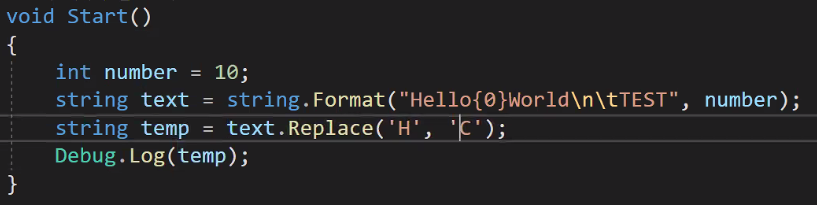
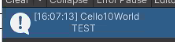
문자열은 불변성을 가지고 있어서 문자 하나만 바꾼게 아니라 새로 할당을 한것임 그래서 근본적인 문제는 해결되지 않고 있다.
그문제를 해결하기 위해 stringBuilder를 제공 해줬다.

그래서 자주 변경이 일어나는 것에 대해서는 스트링 빌더를 쓰라고 권장하고 있다.
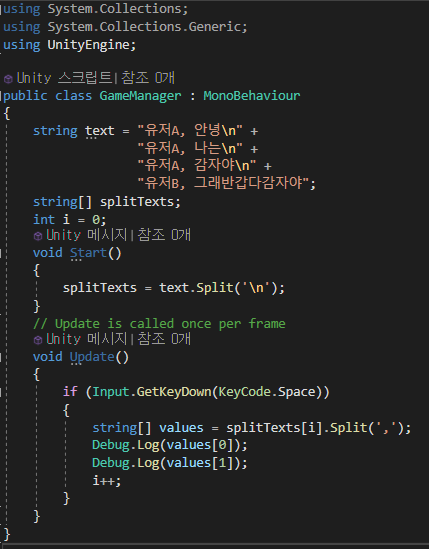

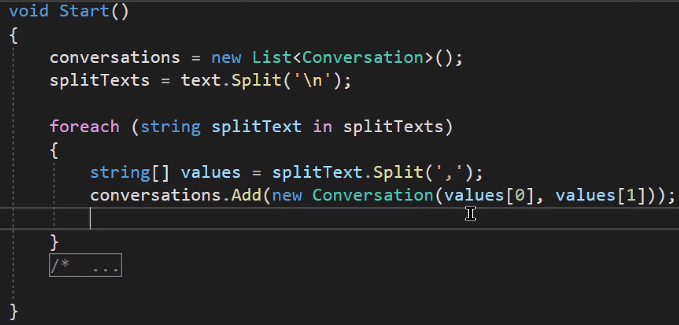
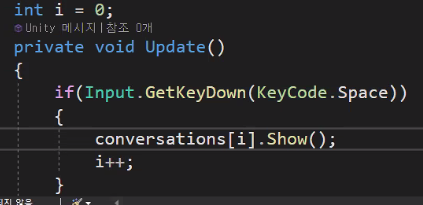
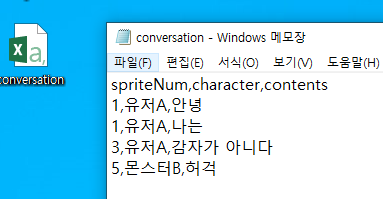


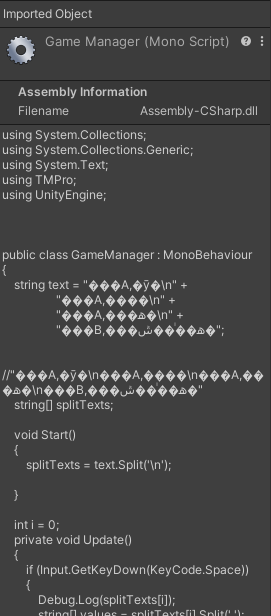



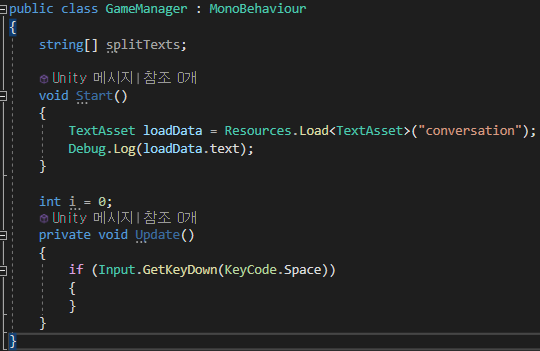
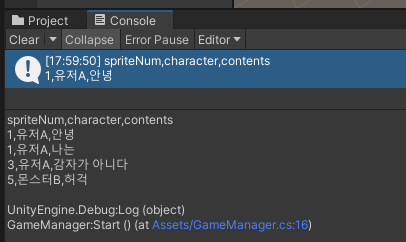
using System.Collections;
using System.Collections.Generic;
using System.Text;
using TMPro;
using UnityEngine;

public class Conversation
{
    private int spriteId;
    private string name;
    private string contents;

    public Conversation(int spriteId, string name, string contents)
    {
        this.spriteId = spriteId;
        this.name = name;
        this.contents = contents;
    }

    public void Show()
    {
        Debug.Log(name + " : " + contents);
    }
}

public class CSVParser
{
    public static List<string[]> Parse(string path)
    {
        List<string[]> valuesList = new List<string[]>();
        TextAsset loadData = Resources.Load<TextAsset>(path);
        string allText = loadData.text;
        string[] lines = allText.Split('\n');
        for (int i = 1; i < lines.Length; i++)
        {
            string[] values = lines[i].Split(',');
            if (lines[i] == "")
                continue;

            //values[0]//1  value[1]//유저A  value[2]//안녕
            valuesList.Add(values);
        }
        return valuesList;
    }
}


public class GameManager : MonoBehaviour
{
    string path = "conversationCSV";

    List<Conversation> conversationList;

    void Start()
    {
        conversationList = new List<Conversation>();
        List<string[]> valuesList = CSVParser.Parse(path);

        foreach (var values in valuesList)
            conversationList.Add(new Conversation(int.Parse(values[0]), values[1], values[2]));

    }

    int i = 0;
    private void Update()
    {
        if (Input.GetKeyDown(KeyCode.Space))
        {
            conversationList[i++].Show();
        }
    }
}
반응형
'Unity C#' 카테고리의 다른 글
| 팩토리 매서드 패턴, 추상 팩토리 패턴 (0) | 2024.01.16 |
|---|---|
| using UnityEngine.UI (0) | 2024.01.15 |
| 스크립터블 오브젝트 (0) | 2024.01.08 |
| 유니티 리플렉션 어트리뷰트 (0) | 2024.01.02 |
| 포톤 (0) | 2023.12.14 |
'Unity C#' Related Articles
more


